
Tab Riffle
Every tab, one keystroke away.
For Chrome and other Chromium browsers (Edge, Brave, Arc, Helium…). 14 days of Pro free, then the core switcher stays free.
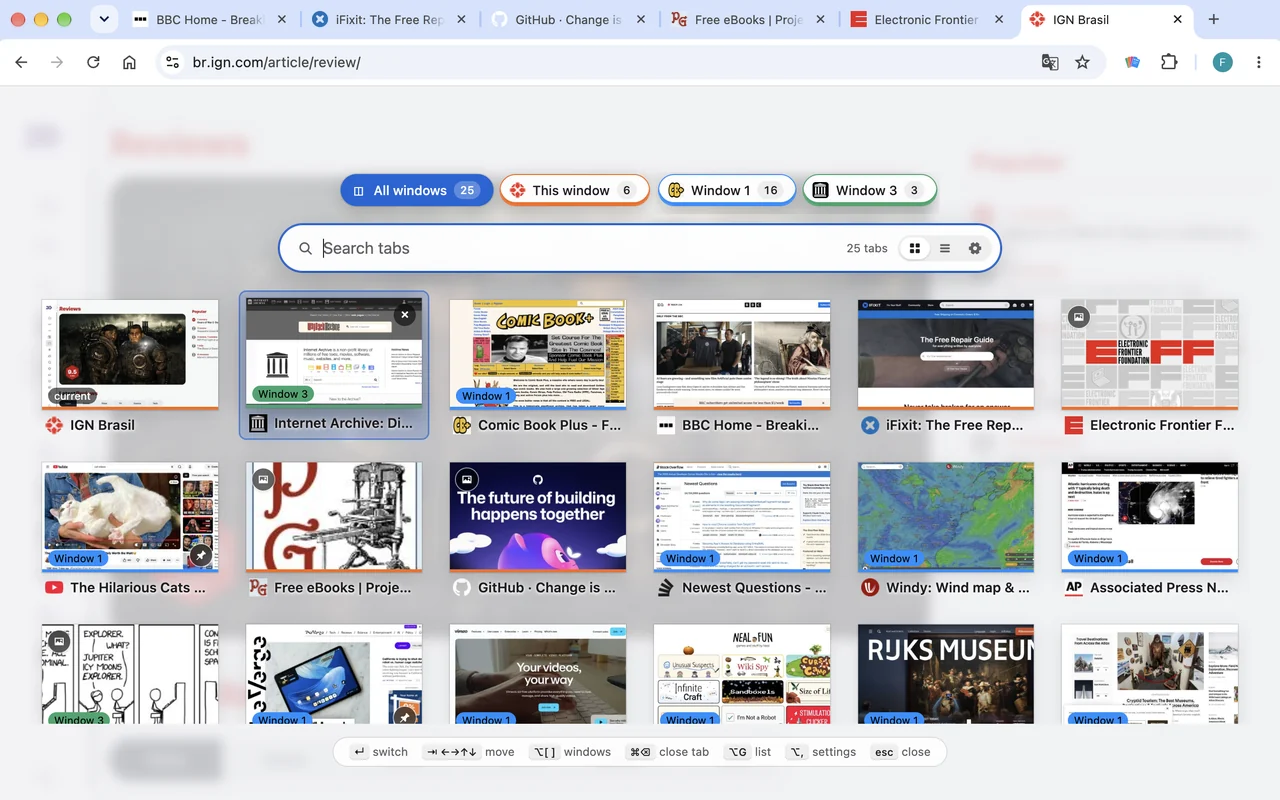
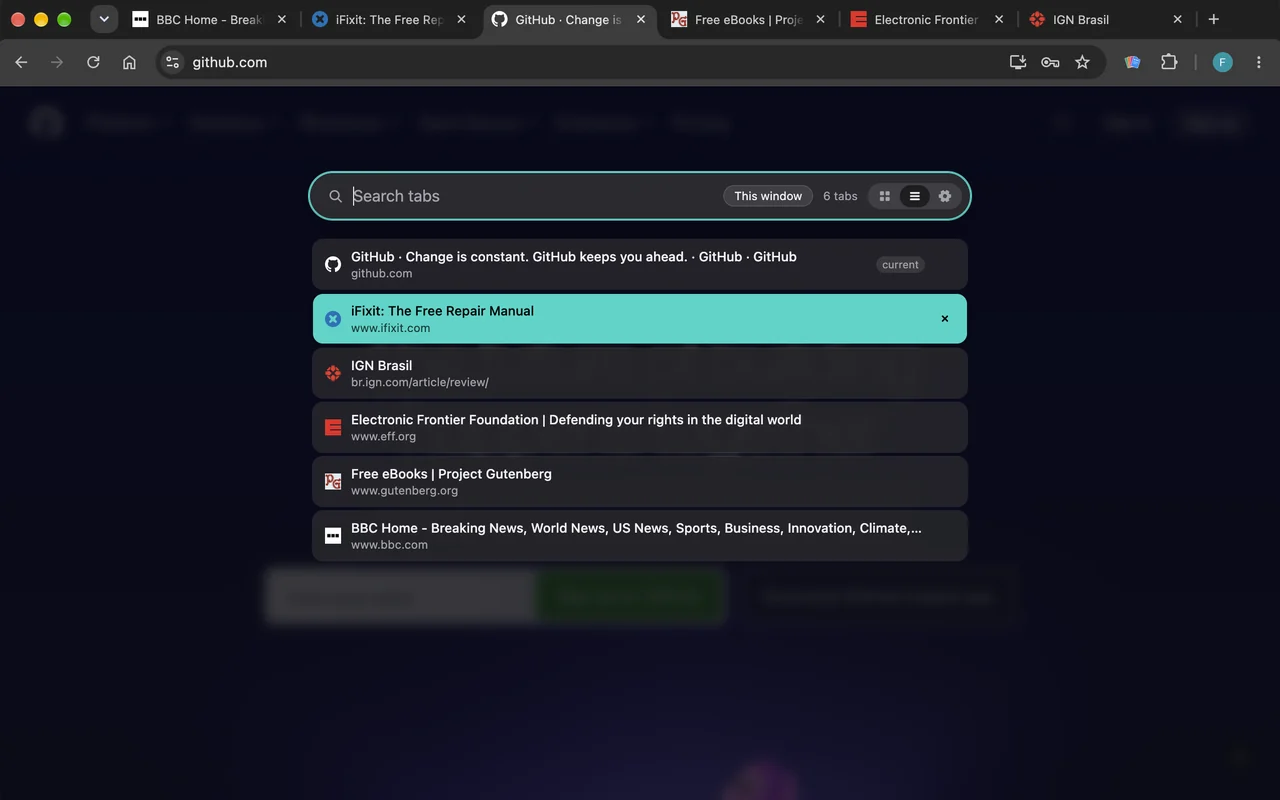
Switch tabs the way you switch apps
Press ⌥Q (Alt+Q on Windows and Linux). Keep holding ⌥ and tap Q to step back through the tabs you used most recently, then let go to switch. The tab you were just on is always one tap away.
- Most recent first, across every window, so the tab you want is almost always the first or second one.
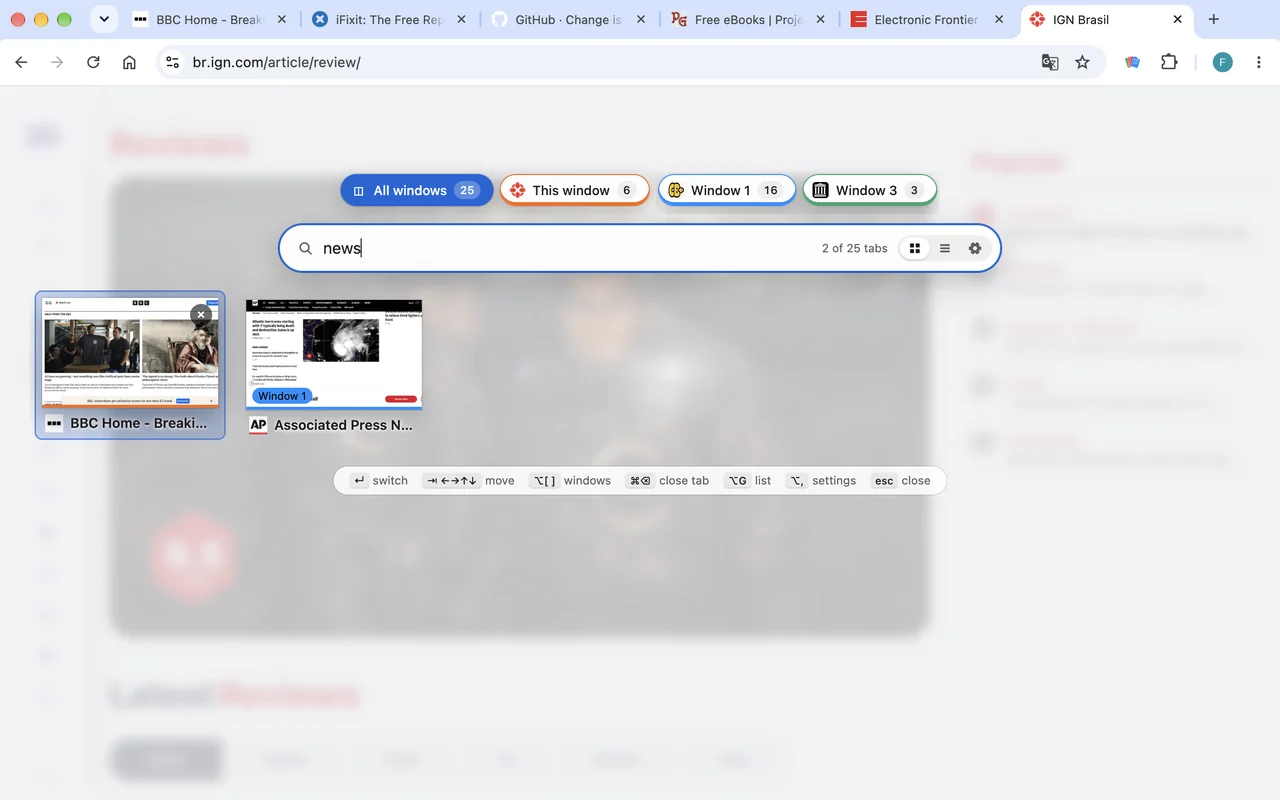
- Type to search titles and addresses; Enter switches.
- Jump straight back to your last tab with ⌥W, no switcher needed.
- Close tabs from the switcher without leaving it.
- All shortcuts can be changed in your browser's extension shortcuts.
Free, with a one-time Pro upgrade
Every install starts with 14 days of Pro. After that, the core switcher stays free for good.
Free
- Most-recently-used switching: hold to riffle, let go to switch
- Search
- Jump to your last tab
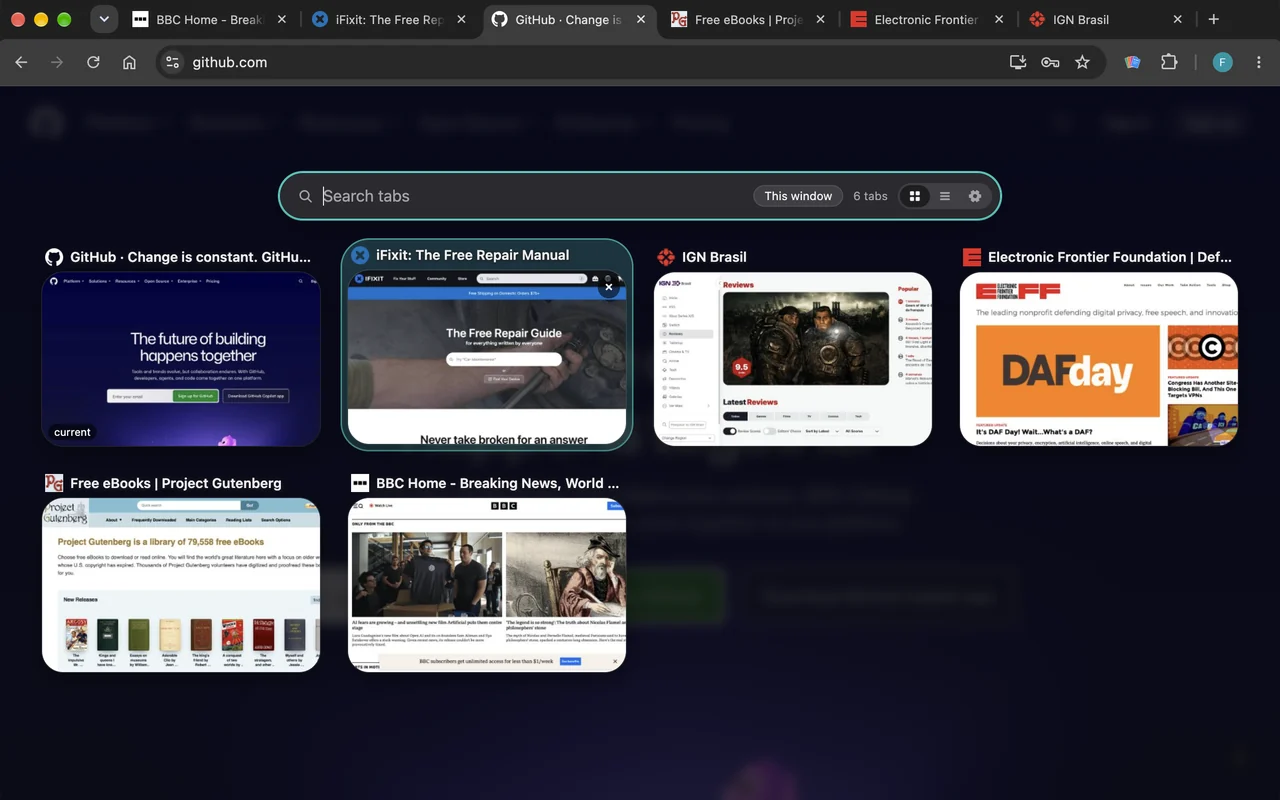
- List view of the current window's tabs
- Light, dark or automatic theme
- Every keyboard shortcut
Pro
- Grid of page snapshots and site images
- Board view: every window side by side, each in recency order
- All windows, with a window bar and color-coded windows
- Filter by tab group: pick groups as chips in the search bar
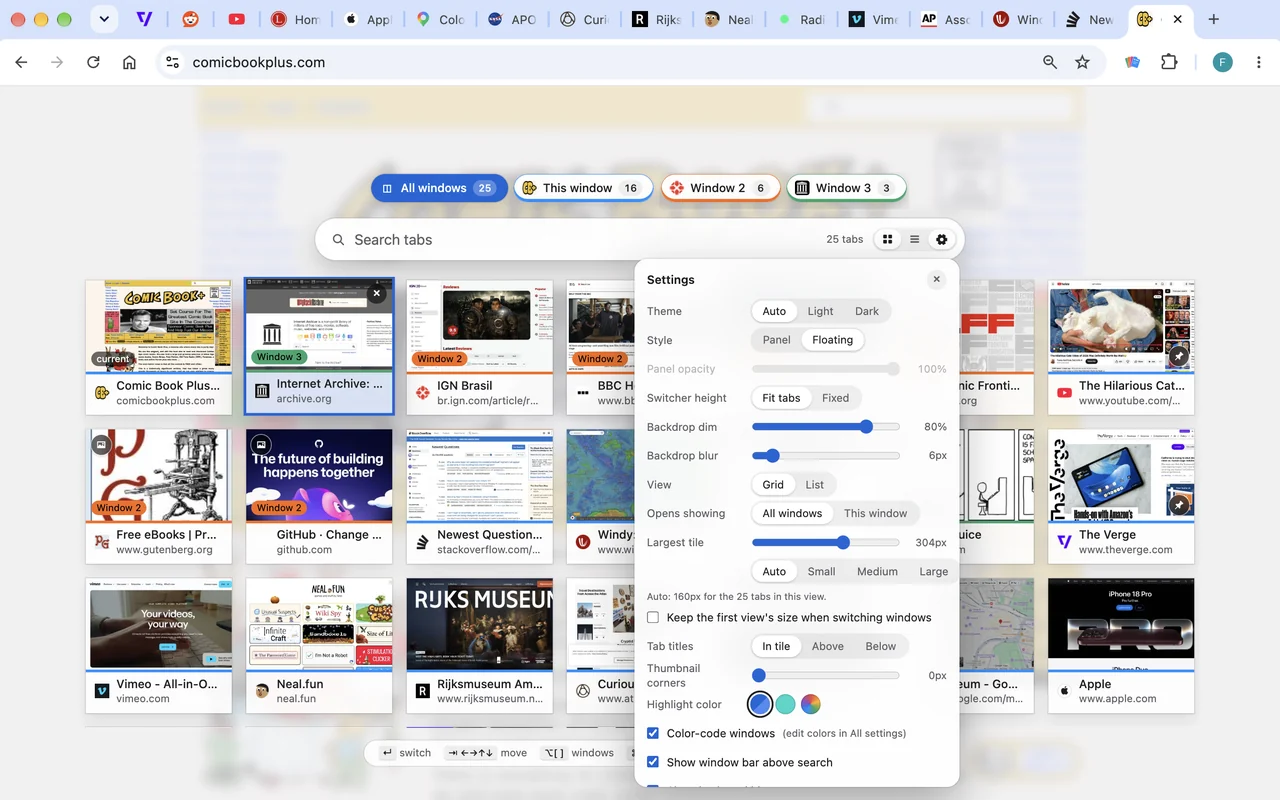
- Floating style, page dim and blur
- Tile size (including Auto), title placement, corners
- Your own highlight and window colors, separately for light and dark
- Saved setups, synced with your browser
- Snapshots kept across restarts
Payment by Stripe. Pro switches on in your browser right after checkout, and you can restore it any time with your purchase email.
Private by design
Snapshots of your tabs are taken and kept on your computer. Tab Riffle has no analytics, no accounts and no servers watching what you do. Previews need access to the pages in your tabs, which Chrome describes as permission to “read and change all your data on all websites”; Tab Riffle asks only when you turn previews on, and works as a plain keyboard list without it. Details are in the privacy policy.